Conference Room AV Setup Guide: From AV Equipment to Room Layout
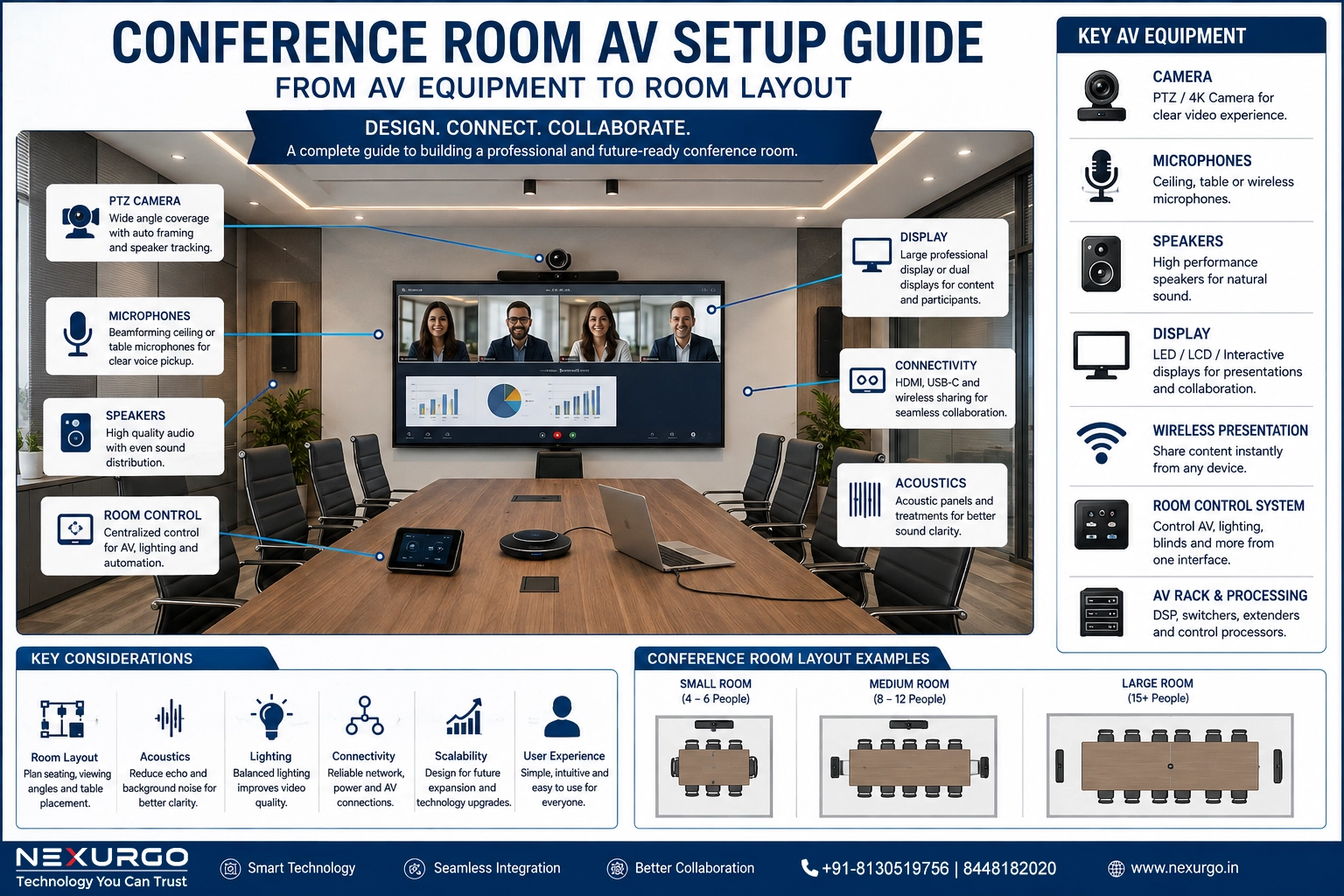
A professional conference room is more than a large display and a conference table. The right Audio Visual (AV) setup combines displays, cameras, microphones, speakers, connectivity, control systems, lighting, acoustics, and room design to create a seamless meeting experience.
Whether you are designing a small meeting room, a corporate boardroom, or a large conference facility, every component needs to work together.
This complete guide explains the key elements of designing a professional conference room AV setup.
1. Start With the Conference Room Layout
Before selecting AV equipment, understand the room itself.
Consider:
✔ Room dimensions and ceiling height
✔ Number of participants
✔ Seating arrangement
✔ Distance between participants and display
✔ Natural and artificial lighting
✔ Acoustic conditions
✔ Power and network availability
✔ Cable routing requirements
✔ Camera viewing angles
A well-designed room layout makes the AV system easier to use and improves the overall meeting experience.
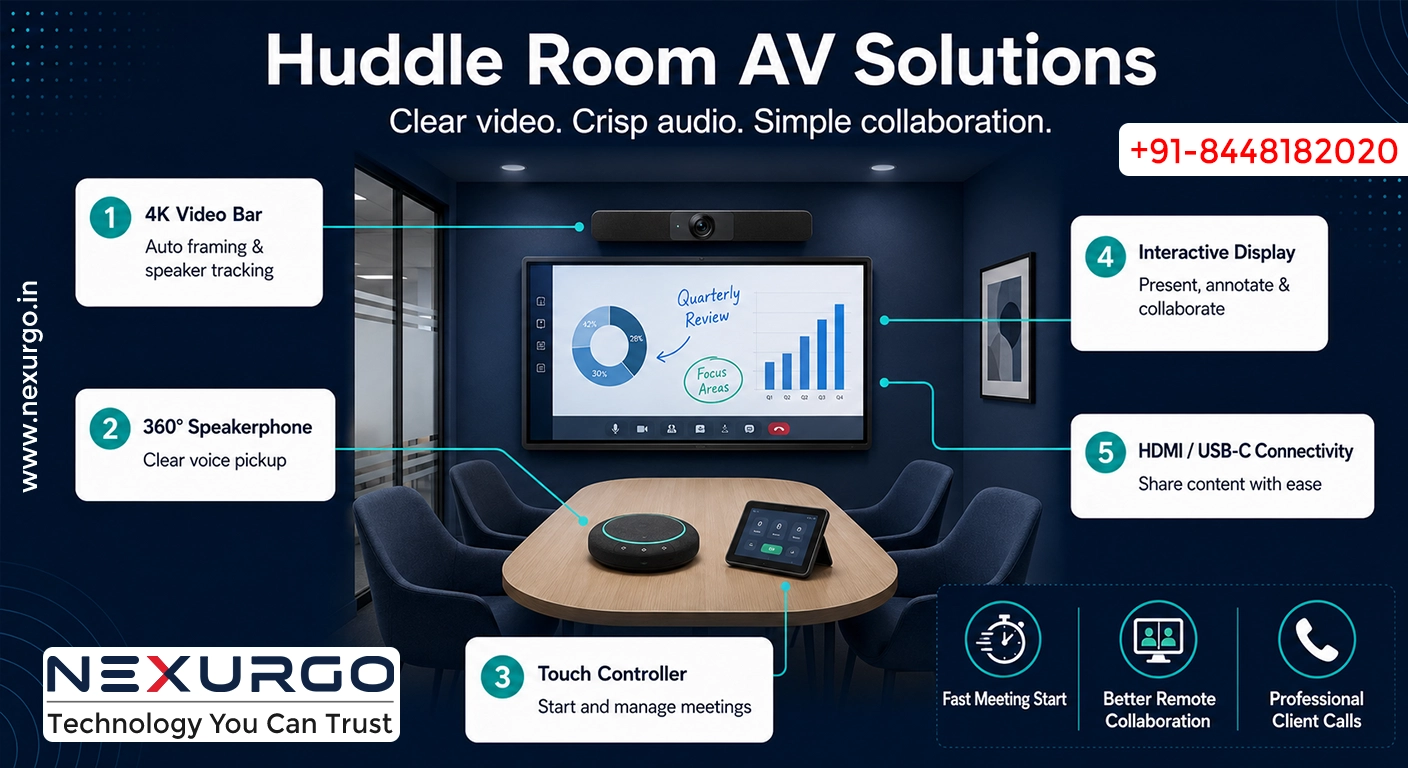
For example, a small 4–6 person meeting room may require a simple display, USB camera, microphone and speaker system, while a 20–30 person boardroom may require multiple displays, professional microphones, DSP, PTZ cameras and centralized control.
2. Choose the Right Conference Room Display
The display is one of the most important components of a conference room.
Depending on the room size, you can consider:
✔ Professional LED/LCD displays
✔ Large-format displays
✔ Interactive displays
✔ LED video walls
✔ Projectors and projection screens
The display should be large enough for participants sitting at the far end of the table to comfortably read presentations, spreadsheets and video-call content.
For larger rooms, dual displays can be particularly useful.
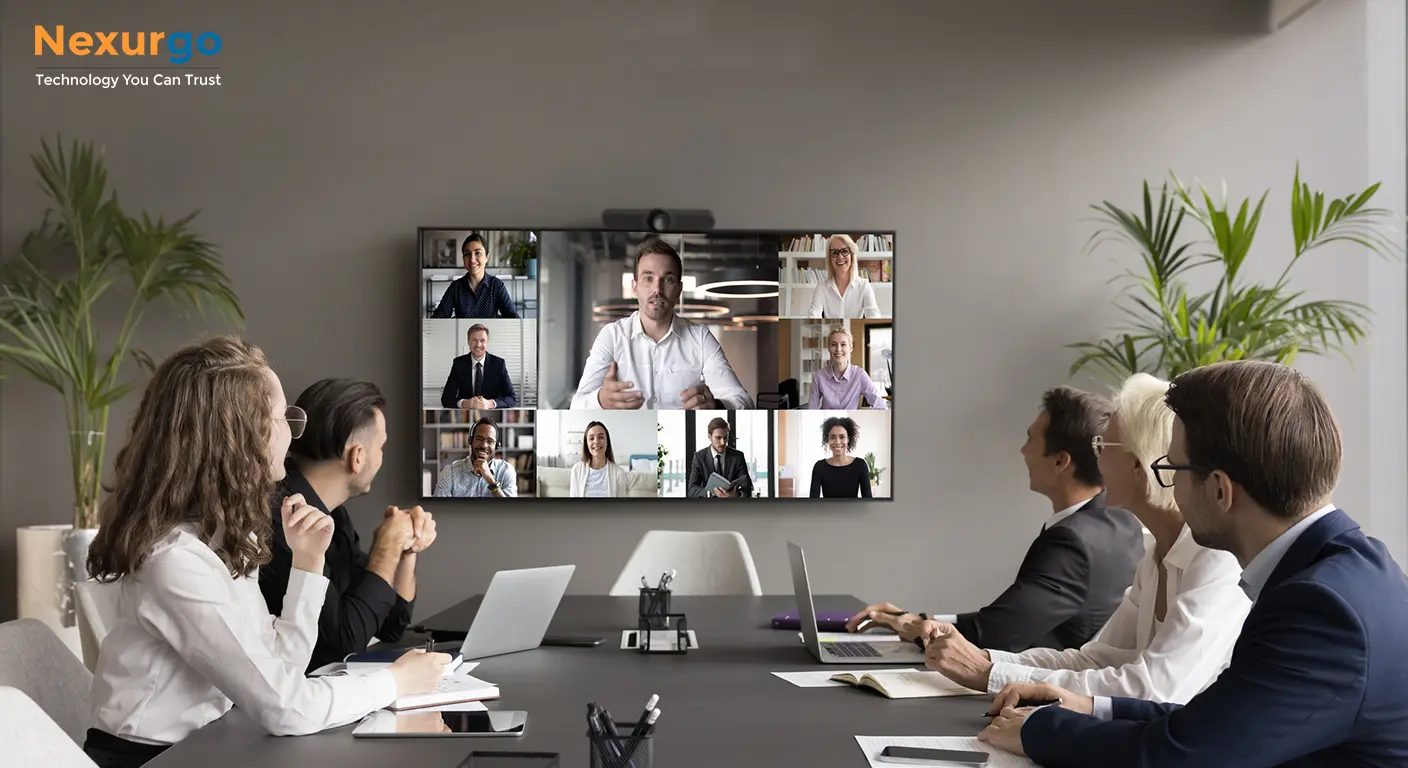
One screen can show the remote participants while the second displays presentations or shared content.
3. Professional Video Conferencing Camera
Video quality plays a major role in modern hybrid meetings.
A professional conference room camera should provide:
✔ Wide-angle coverage
✔ High-resolution video
✔ Auto framing
✔ Speaker tracking
✔ PTZ functionality where required
✔ Good low-light performance
✔ Integration with conferencing platforms
For medium and large conference rooms, PTZ cameras can provide better coverage than a basic webcam.
Camera placement is equally important. The camera should provide a natural view of participants without excessive angles, obstruction or backlighting.
4. Conference Room Microphones
Poor audio can ruin an otherwise excellent video-conferencing system.
Microphone selection depends on:
-
Room size
-
Number of participants
-
Seating arrangement
-
Table configuration
-
Acoustic conditions
Common options include:
✔ Table microphones
✔ Ceiling microphones
✔ Boundary microphones
✔ Wireless microphones
✔ Beamforming microphone arrays
For larger conference rooms, ceiling-mounted or beamforming microphones can provide excellent coverage while keeping the table clean and professional.
5. Speakers and Audio Processing
Speakers should deliver clear and consistent audio throughout the room.
Depending on the room design, you may use:
✔ Ceiling speakers
✔ Wall-mounted speakers
✔ Soundbars
✔ Conference speakerphones
✔ Professional audio systems
For larger installations, a Digital Signal Processor (DSP) can be used to manage microphone mixing, echo cancellation, noise reduction, equalization and audio routing.
This is particularly important when multiple microphones and speakers are installed.
6. Acoustic Treatment Matters
Even expensive AV equipment cannot compensate for poor room acoustics.
Hard walls, glass surfaces and large empty spaces can create unwanted reflections and echo.
Consider:
✔ Acoustic wall panels
✔ Acoustic ceiling treatment
✔ Carpeting or appropriate flooring
✔ Curtains or other sound-absorbing materials
✔ Strategic furniture placement
The goal is to reduce reverberation and improve speech intelligibility.
Good acoustics make remote participants easier to understand and significantly improve meeting quality.
7. Wireless Presentation and Connectivity
Modern conference rooms should make content sharing simple.
Users may need to connect laptops, tablets and other devices.
A professional setup can include:
✔ HDMI connectivity
✔ USB-C connectivity
✔ Wireless presentation systems
✔ Network-based content sharing
✔ USB extension solutions
✔ Video distribution systems
The objective should be simple:
Connect → Share → Present.
Users should not need an IT technician every time they want to start a presentation.
8. Video Conferencing Platform Integration
The AV system should work smoothly with the organization's preferred collaboration platform.
Depending on the business environment, the room may need to support platforms such as:
✔ Microsoft Teams
✔ Zoom
✔ Google Meet
✔ Other enterprise collaboration platforms
The selected camera, microphone, speaker and control system should be compatible with the required platform and operating environment.
9. Centralized Room Control
For larger conference rooms, centralized control can dramatically improve usability.
A room control system can manage:
✔ Displays
✔ Projectors
✔ Cameras
✔ Audio
✔ Lighting
✔ Blinds
✔ Video sources
✔ Conference calls
Instead of using multiple remotes and complicated controls, users can operate the room from a centralized interface.
This creates a more consistent experience and reduces operational complexity.
10. Cable Management and Infrastructure
AV performance depends heavily on the underlying infrastructure.
During installation, plan for:
✔ Power distribution
✔ Network connectivity
✔ HDMI/USB-C connectivity
✔ AV signal distribution
✔ Cable trays and conduits
✔ Floor boxes
✔ Wall plates
✔ Rack space
✔ Equipment ventilation
Cable management should be considered during the room design stage rather than after installation.
A clean infrastructure not only looks professional but also makes future maintenance easier.
11. Lighting for Video Conferencing
Lighting is often overlooked in conference room design.
Poor lighting can result in:
-
Dark faces
-
Shadows
-
Glare
-
Poor camera image quality
-
Difficult video calls
Use balanced lighting that illuminates participants without creating excessive reflections on displays.
Avoid placing participants directly in front of bright windows whenever possible.
12. AV Rack and Equipment Management
Medium and large conference rooms may require a dedicated AV rack.
The rack can house:
✔ Network equipment
✔ AV processors
✔ DSP
✔ Video distribution equipment
✔ Control processors
✔ Power management
✔ Receivers and transmitters
Proper rack organization, ventilation and labeling make troubleshooting and maintenance significantly easier.
13. Design for Scalability
A conference room should not be designed only for today's requirements.
Think about future needs.
For example:
Today: 10-person meeting room
Future: Hybrid collaboration + additional display + advanced camera + room scheduling
Leave sufficient infrastructure capacity for future expansion wherever practical.
This can reduce the cost and disruption of future upgrades.
14. Test the Complete System
After installation, every component should be tested together.
The testing process should include:
✔ Camera coverage
✔ Microphone coverage
✔ Speaker performance
✔ Echo cancellation
✔ Display quality
✔ Wireless presentation
✔ Video conferencing
✔ Network connectivity
✔ Room control
✔ Cable connections
✔ User experience
The goal is not simply to confirm that every device works individually.
The goal is to ensure that the entire room works as one integrated system.
Final Thoughts
Designing a professional conference room requires more than selecting individual AV products.
The best results come from integrating:
Room Layout + Acoustics + Displays + Cameras + Microphones + Speakers + Connectivity + Control + Network Infrastructure
A well-designed conference room should be reliable, easy to operate, scalable and comfortable for both in-room and remote participants.
For businesses planning a new conference room or upgrading an existing meeting space, professional AV planning can help avoid compatibility issues, poor audio, complicated operation and unnecessary infrastructure costs.
Nexurgo Technologies helps businesses plan and implement professional Conference Room AV, Video Conferencing, Audio Visual, IT Infrastructure and Collaboration Solutions based on their room size, business requirements and future scalability.