
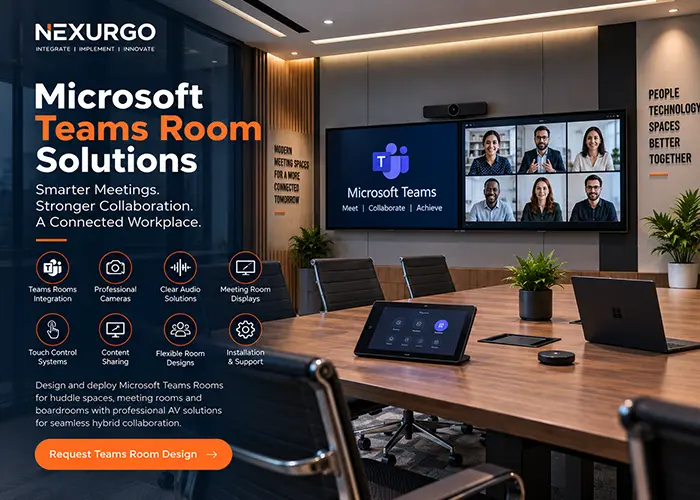
Microsoft Teams Room Solutions
Turn meeting spaces into simple, consistent and professional Microsoft Teams Rooms
Joining hybrid meetings from individual laptops can create cable confusion, inconsistent audio, poor camera coverage and unnecessary setup delays. For businesses using Microsoft Teams every day, meeting rooms need a dedicated collaboration experience that works consistently for both in-room and remote participants.
Nexurgo delivers Microsoft Teams Room Solutions that integrate compatible conferencing systems with professional cameras, microphones, speakers, displays and room controls. From compact huddle spaces to executive boardrooms, we design the AV environment around room size, seating layout and collaboration requirements.
Microsoft Teams Room Solutions for Seamless Hybrid Meetings
Nexurgo designs and integrates Microsoft Teams Rooms for Indian businesses that want a dedicated, easy-to-use environment for video meetings and hybrid collaboration. Depending on room requirements, solutions can include Teams Rooms-compatible compute and console systems, professional cameras, microphone arrays, speakers, commercial displays, touch controllers and content-sharing connectivity. Each room is planned around seating capacity, viewing distance, camera coverage, speech pickup and the way employees collaborate.
We can design Teams-enabled huddle rooms, meeting rooms, conference rooms, training spaces and executive boardrooms with an emphasis on clear communication and straightforward operation. Thoughtful camera positioning helps remote participants see the room naturally, while suitable microphone and speaker coverage improves two-way conversation. Integrated displays and room controls reduce dependence on temporary laptop-based setups and create a more consistent Microsoft Teams meeting experience.
Why Choose Nexurgo for Microsoft Teams Room Solutions?
Nexurgo combines meeting-room AV design with collaboration technology to create Microsoft Teams Rooms that are practical for everyday business use. We consider room dimensions, seating positions, camera views, microphone pickup, speaker coverage, displays and connectivity before planning the solution. Our focus is a clean, reliable meeting environment where users can start and manage Teams meetings without dealing with a complicated AV setup.
Make Microsoft Teams Meetings Better from Every Seat
- Teams Rooms System Integration: Deploy compatible Microsoft Teams Rooms hardware and room interfaces according to the meeting space and collaboration requirements.
- Professional Camera Coverage: Plan suitable conferencing cameras and positioning so remote participants can clearly see presenters and people seated around the room.
- Microphone & Speaker Integration: Design audio coverage for clear voice pickup and natural conversation across huddle rooms, conference rooms and boardrooms.
- Meeting Room Displays: Integrate professional displays for remote participants, presentations and shared content, with single or dual-screen configurations where appropriate.
- Touch Control & Content Sharing: Provide convenient room controls and presentation connectivity to simplify meeting management and content sharing.
- Room AV Installation & Testing: Integrate conferencing hardware, displays, audio, cabling and network connectivity into an organised system and test the room before handover.
Why Microsoft Teams Rooms are Important?
A dedicated Microsoft Teams Room creates a more consistent collaboration experience than relying on different laptops and temporary peripherals for every meeting. The room can be designed so cameras, microphones, speakers and displays are already positioned for the space, reducing setup time and helping in-room and remote participants communicate more effectively.
What Makes Nexurgo Different?
Nexurgo focuses on the complete meeting-room experience rather than treating the Teams device as a standalone product. We plan AV coverage, display placement, cabling, network requirements and room usability together. This approach helps businesses create Teams Rooms that fit the physical space, support everyday collaboration and can be maintained more easily as meeting requirements evolve.
A Microsoft Teams Room is a dedicated meeting-room environment designed for Microsoft Teams collaboration. It typically combines compatible Teams Rooms hardware with room displays, cameras, microphones, speakers and controls to provide a consistent conferencing experience.
Yes. We can assess an existing meeting or conference room and plan the required conferencing hardware, displays, camera coverage, audio, cabling and connectivity according to the room and its intended use.
Yes. Teams Rooms can be designed for different room sizes. Larger conference rooms and boardrooms may require additional microphones, speakers, cameras, displays or other AV components to provide suitable coverage across the space.
Yes. Where the room design and selected Teams Rooms configuration support it, dual displays can be integrated to improve the presentation of meeting participants and shared content.
Yes. Nexurgo can provide room-level AV installation and integration, including cameras, microphones, speakers, displays, control interfaces, cabling and related connectivity according to the agreed project scope.
Create a meeting space with professional video, clear audio and simple Teams collaboration. Talk to Nexurgo about designing and integrating a Microsoft Teams Room for your workplace.